
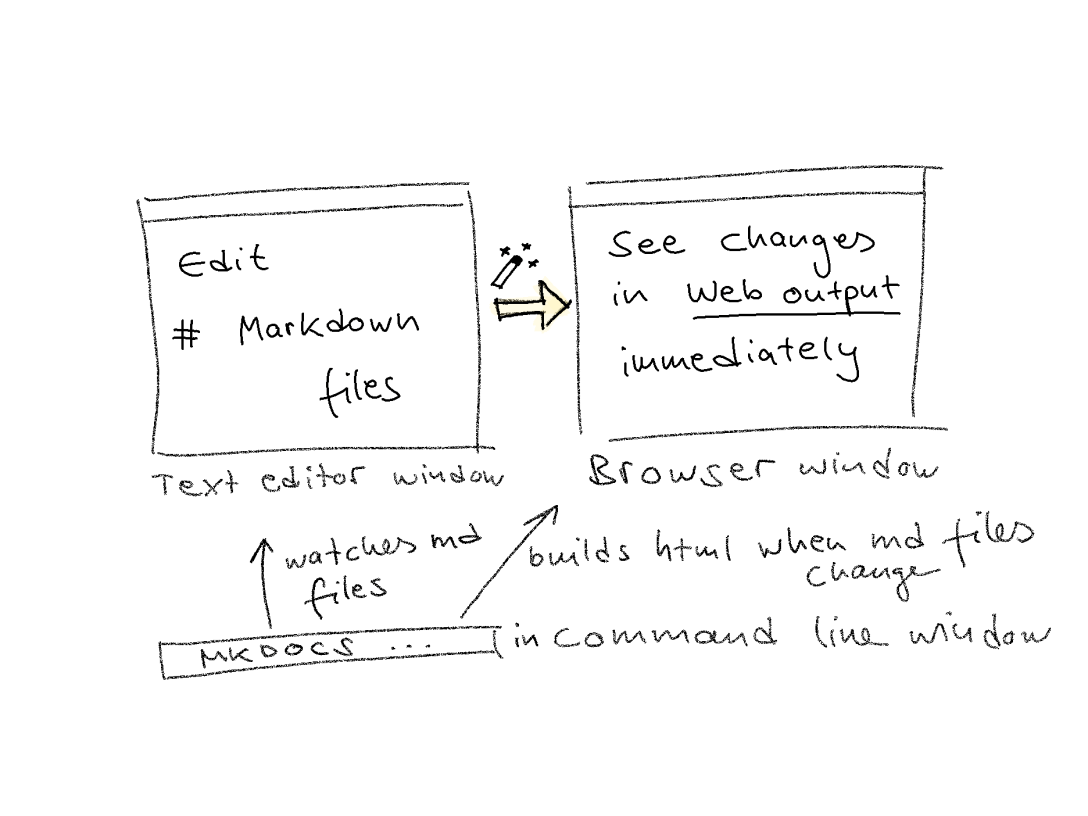
MkDocs—“make documentation”. 🤖 The static site generator MkDocs builds HTML output (a website) from Markdown source files, which you edit in the text editor of your choice, like Notepad++, Atom, Sublime or others.
The very convenient thing about MkDocs is: it renders the output while you edit. That is, whenever you hit “Save” for the Markdown source file in your text editor, your website gets re-rendered immediately. What’s more, MkDocs also refreshes your browser window or tab that currently displays that website. That means, you can instantly see the changes in your website just by saving the Markdown source file you are editing.
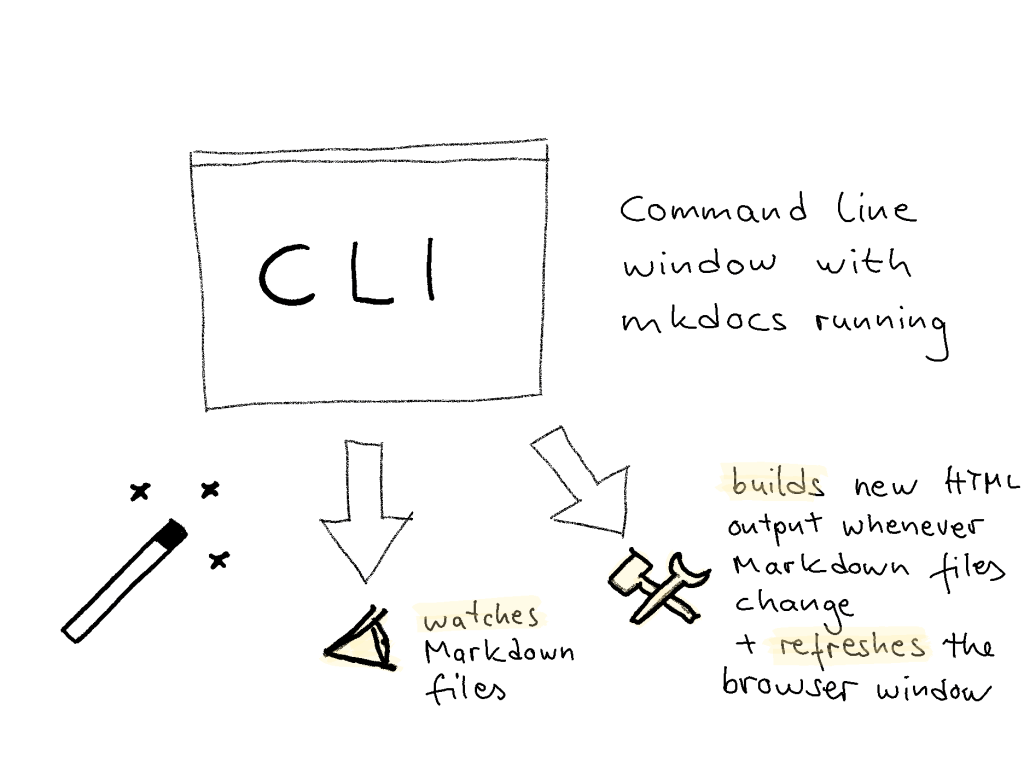
MkDocs achieves this because it comes with a built-in server that you start in the command line interface (CLI) on your computer. It watches the source files and triggers the build of new HTML output as well as the reload of the browser.
Why would you need a static site generator?
A static site generator is just one way of producing a static website, that is, a website that only uses HTML, CSS, and maybe JavaScript. Such websites can be read, and they do have hyperlinks but usually do not offer additional functionalities like contact forms or search boxes.
“If you have a purely informational website
that’s designed to be read,
then you could print each page out
and with the exception of any hyperlinks you may have,
it would still ‘work’.
It’s a static website.
But if your website is an interactive one
that people can use and not just read,
it’s a dynamic website.”
(cited from Code Conquest)
So, whenever you need to produce a static website—for example, to create an e-portfolio or to deliver documentation for software—you might consider using a static site generator to do this.
Why write content for a website in Markdown?
Comparing the creation of website content in HTML vs. Markdown, a file written in Markdown syntax is easier to read than HTML markup because the Markdown syntax does not use opening and closing tags like HTML does. Have a look at https://dillinger.io/ to see a website and its Markdown syntax simultaneously.
Markdown syntax was developed to format plain text. Therefore, writing content for a website in Markdown works best for sites that contain rather text than media.
Markdown is easy to learn and widely used, for example, for producing README files in repositories like GitHub. You edit such files in Markdown, give them a .md file extension, and they get displayed nicely without further action. For more information about creating useful README files and another demonstration of Markdown syntax have a look at https://www.makeareadme.com/.
There are several reasons why using Markdown syntax might not be the best approach to writing documentation. Read Eric Holscher’s blog post for background information on that issue.
However, as it is so easy to adopt and so widespread, why not using it as the source “code” syntax for a small, static website like, e.g., an e-portfolio? Of course, you would always need a website generator tool to build a real website out of the Markdown files. MkDocs is such a tool.
How to style a website built with MkDocs?
There are several templates available and you, or a team member experienced with CSS and JavaScript, can adapt the styling to your needs. (Click here to learn how to do that.) Later, when writing content, you are not bothered with styles anymore, and you can focus on the content section you are editing.
It reminded me a bit of working with WordPress: you have “Pages” and “Posts”. When you wanted to write a new blog post, you would create a “Post”—with no options to style and edit anything else but this post. The (styling of the) “Page” that displays the “Post” would be edited separately.
When use MkDocs?
Use a MkDocs if:
- You need a static website
- You are familiar with Markdown (or eager to learn it, it is easy)
- You want to separate content creation from styling the website
- Your content is rather text than media
How to use MkDocs?
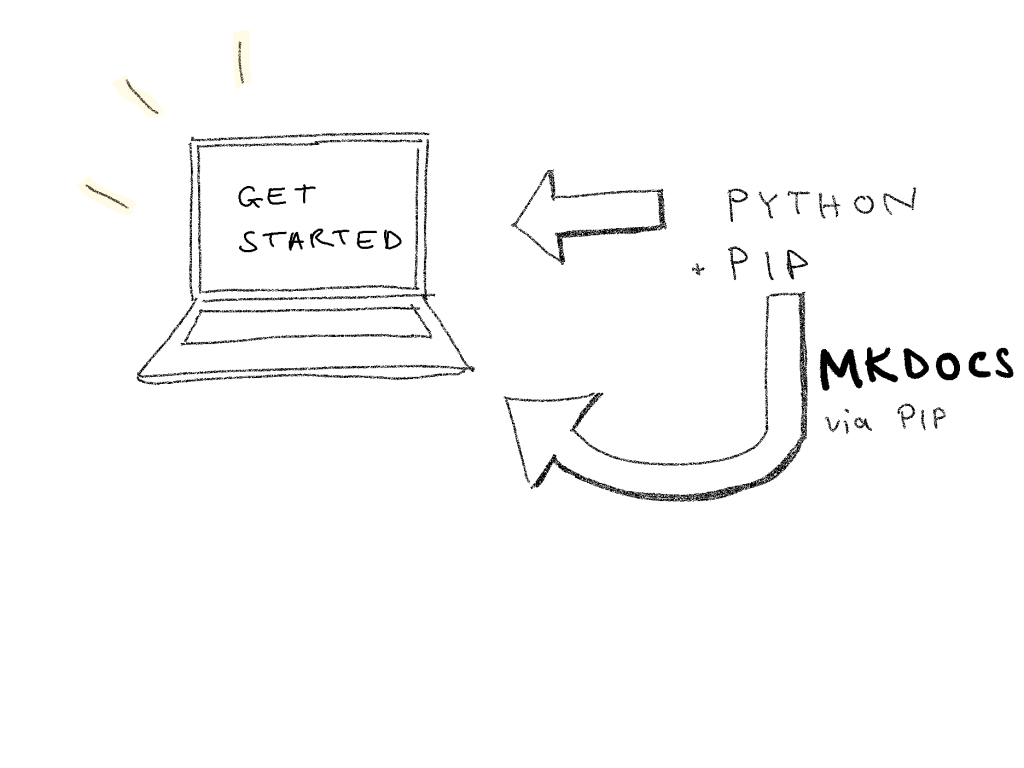
You can get MkDocs through a “package manager”. To do that, install Python with the Python package manager pip and then use pip to install MkDocs. Refer to the MkDocs website for a detailed description of how to install MkDocs.
When you are ready, start MkDocs in your command line interface (CLI). MkDocs will watch the Markdown files of your project and build new HTML output whenever the Markdown files change, that is, whenever you save a file.
Once MkDocs’s built-in server runs, you can hide the CLI window. Open a Markdown project file in the text editor of your choice and open a browser window to see the HTML output, that is, your website. Now, start editing and enjoy seeing the immediate changes in your browser window!
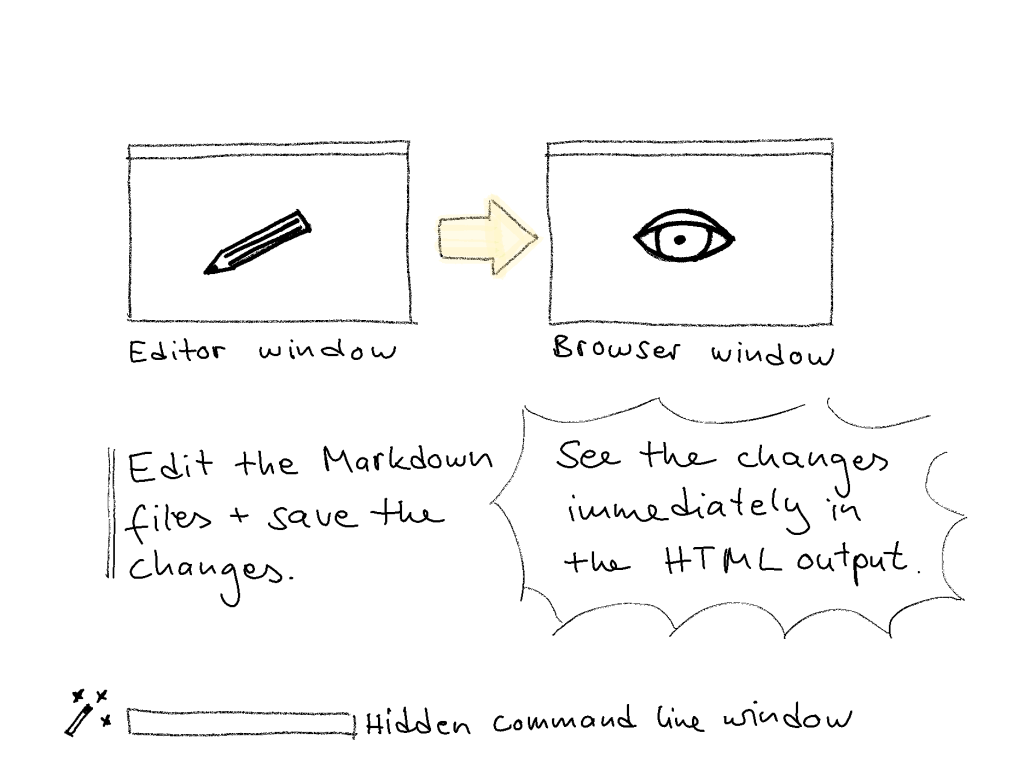
Once set up, working with MkDocs is very convenient, as it saves you a lot of clicks by automatically re-rendering the website in your browser window and refreshing that window. The variety of style templates provide a good start to style your website and are easy to adapt to your needs if you are familiar with CSS and JavaScript. When working in a team, use a Git repository to ensure everybody is working with the most recent files and to merge changes of the files easily.
Personally, I had some trouble with the setup as I wasn’t very familiar with the world of Python & pip and the command line. (The bad thing is that this feeling of being lost persists for a while when using a tool.) However, I would recommend to struggle through it in case this is true for you, too. It is worth the effort as the tool saves you a lot of effort afterwards! Give it a try and let me know about your experience with MkDocs in the comments.
For more detailed information on how to use MkDocs, refer to the MkDocs website.
For more information about static site generators, refer to:
- Snipcart’s article about how to Pick the Best Static Site Generator for your 2020 Projects comparing static site generators
- Older but still interesting: Netlify’s 2016 blog post about the Top Ten Static Website Generators
- An overview of current static site generators (all available on GitHub) at https://www.staticgen.com/
 API docs and me
[…] site generators are widely used for API documentation, and I used such a tool before (see my recent blog post on using the static site generator MkDocs for documentation purposes). Moreover, I would love to get to know more tools of this kind and find […]
LikeLike
[…] I never used one before, but those static site generators intend to leave them behind (see also my blog post on MkDocs, a static site generator). The rationale is that maintaining dynamic websites constitutes too much of an overhead for […]
LikeLike