
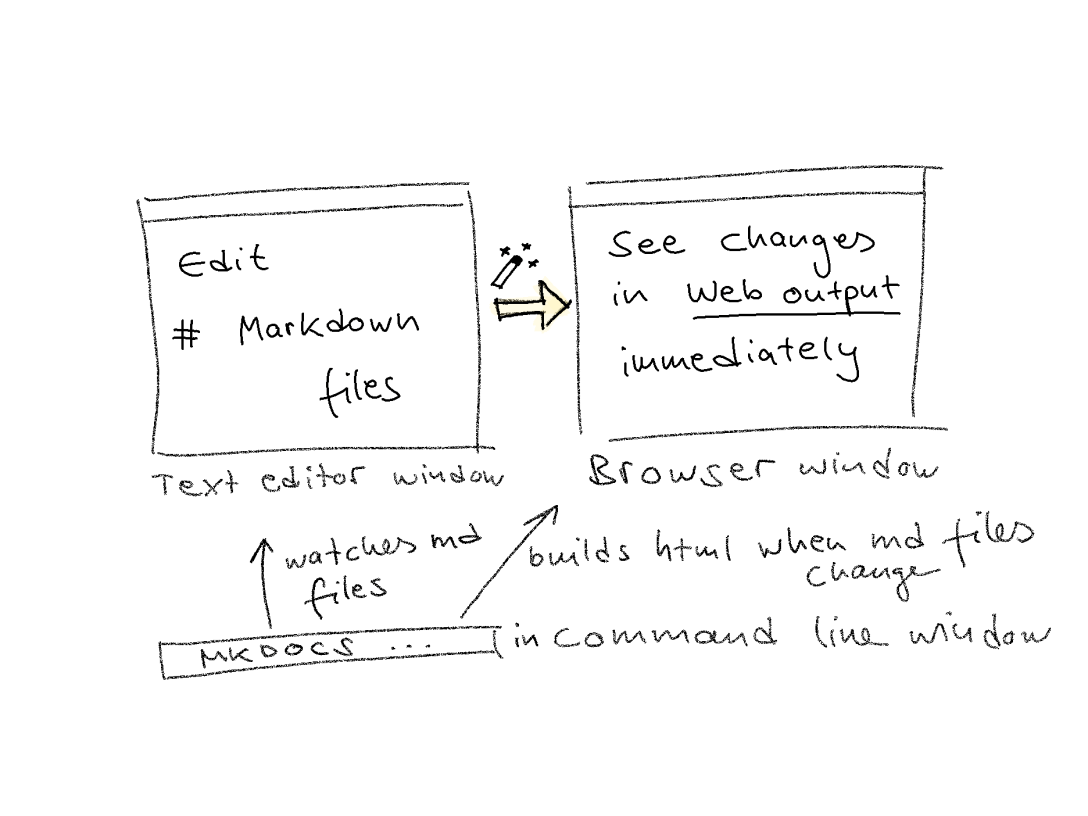
MkDocs—“make documentation”. 🤖 The static site generator MkDocs builds HTML output (a website) from Markdown source files, which you edit in the text editor of your choice, like Notepad++, Atom, Sublime or others. The very convenient thing about MkDocs is: it renders the output while you edit. That is, whenever you hit “Save” for the… Continue reading MkDocs: Write in Markdown, get a website
Category: Tools and resources
Git & Unix cheat sheet
It's time for the Git cheat sheet for writers! Read why General command structure: command -o --option argument "another argument, containing blank spaces" Note that Git commands always start with the prefix git whereas Unix commands do not carry a prefix. Unix commandDescriptionpwdPrint working directory = tell me which folder I am inlsList all items… Continue reading Git & Unix cheat sheet
EndNote: Organise your references and save time when citing them
Technical communicators might work as researchers or practitioners, or both. Stop reading if you belong to the former two groups. Keep reading if you somehow belong to both worlds. This blogpost introduces a tool that helps you to stay organised in academic writing: a reference management tool. Researchers already use this kind of tool as… Continue reading EndNote: Organise your references and save time when citing them
Pexels: Setting the mood—for stunning e-learning experiences
Looking at technical documentation, the images you expect to see there would mainly be product photos or drawings, infographics, screenshots, or diagrams, depending on the product documented. As those images are directly related to the product, you would need to produce this type of media by yourself or hire somebody to do it for you.… Continue reading Pexels: Setting the mood—for stunning e-learning experiences
